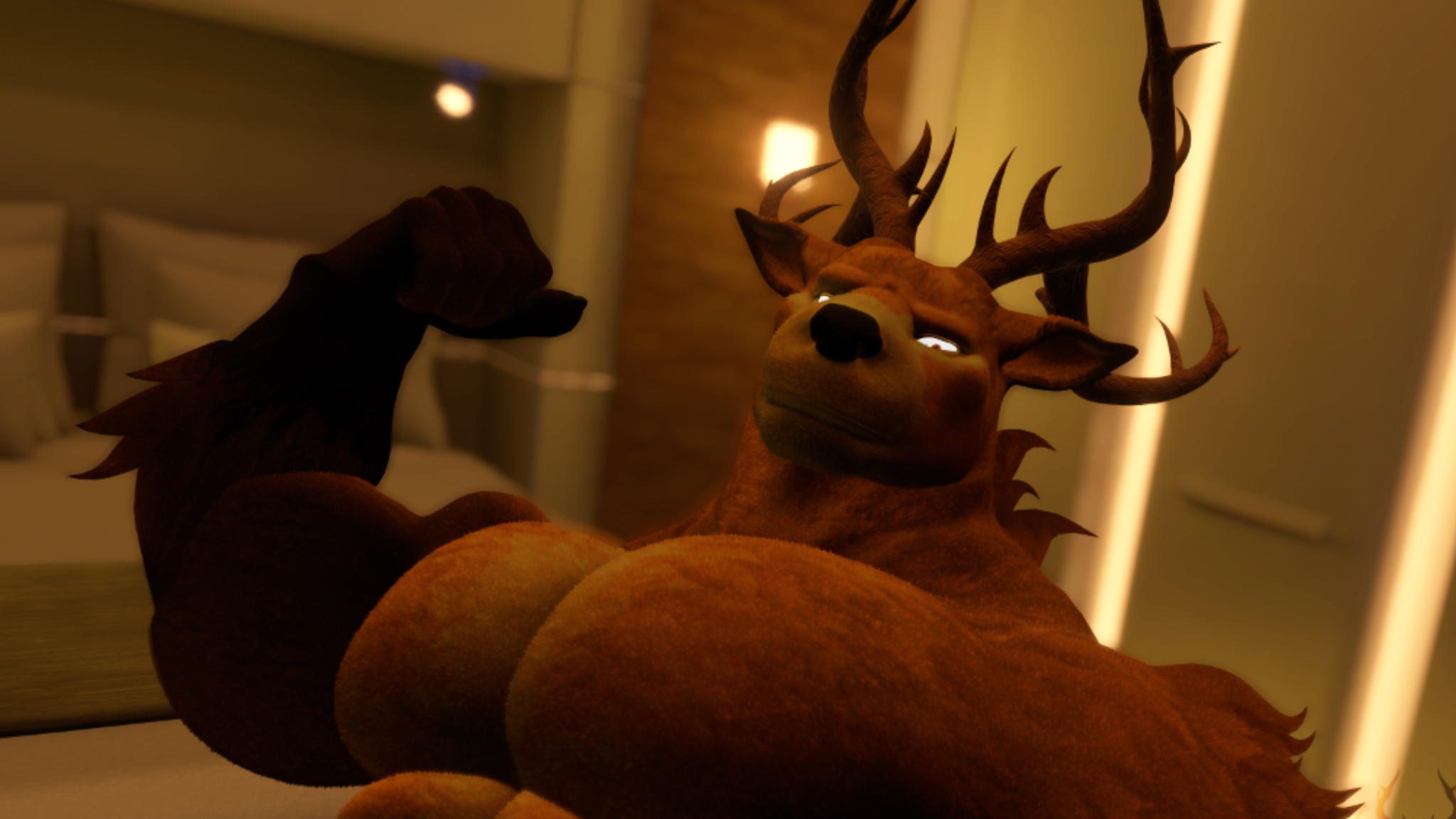
Ironhart - VRChat Deer / Stag Avatar Base
A big furry deer and stag avatar base for VRChat (PC), built for expressive socials, clubs, and roleplay.
VRChat
Furry
Deer
Stag
Bara
PC
Physbones
Face + Eye Tracking
MMD
If you only want the official download and updates, use the Itch page.
Highlights
- Multiple texture sets, including fur variants
- Full physbones setup for expressive movement
- Face and eye tracking support
- Complete MMD support
- Dynamic bicep flex
- Twist bones for forearms
- Control bones for lats
- Interactive features designed for social worlds
Links
Features
- 2 premade texture sets plus fur versions
- Physbones: ears, nose, pecs, belly, buttocks, tail
- Face and eye tracking support
- MMD-ready setup
- Dynamic bicep flex
- Forearm twist bones
- Lat control bones
- Extras and interaction toggles
Feature availability can depend on how you customize or rebuild the avatar.
Gallery
Requirements
- PC VRChat project
- Unity version supported by the current VRChat SDK
- VRChat Creator Companion and the required packages for the avatar
The Itch page lists the latest dependencies and version notes.
Setup
- Download Ironhart from the Itch page and extract it.
- Open your VRChat Unity project.
- Import dependencies first, then import the Ironhart package.
- Open the provided scene or prefab, then validate the avatar descriptor.
- Build and publish through the VRChat SDK.
Common issues
- If the avatar looks pink, a shader dependency is missing or incompatible.
- If tracking doesn’t work, confirm you imported the correct tracking package and used the correct prefab.
- If performance is heavy, reduce physbone colliders and limit dynamic toggles.
FAQ
Is Ironhart Quest compatible?
Ironhart is built for PC VRChat. A Quest version would require separate optimization work and a different feature set.
Do I need face tracking hardware?
No. The avatar works normally without it. Face and eye tracking support is there if you use compatible tracking.
Can I use Ironhart commercially?
Licensing and usage terms are defined on the Itch product page. If you need special rights, contact me.
Where do I get updates?
Updates are distributed through the official Itch page.
I need help with setup
If you run into an import or setup issue, include your Unity version, VRChat SDK version, and screenshots when contacting me.
More by Arzolath
Jordan . VRChat Avatar Base
Another avatar base with a different style and customization focus.
View Jordan on Itch.io